
Instructor Notes
Setup Recommendations
This will go through some notes and arches installation troubleshooting one might encounter with the programme.
It is recommended to have an production deployment of Arches set up for the lesson, with with Country and Coin Resource Models loaded, though the lesson can proceed without, omitting the episodes using the Arches installation. For these episodes, it is necessary to load the following Resource Models onto Arches: - Coin Resource Model - Country Resource Model
The Arches Documentation is the definitive guide for Arches installation and deployment.
Bulk Data Manager has separate dependencies and needs to be enabled.
Episode 2
Challenge Solution:
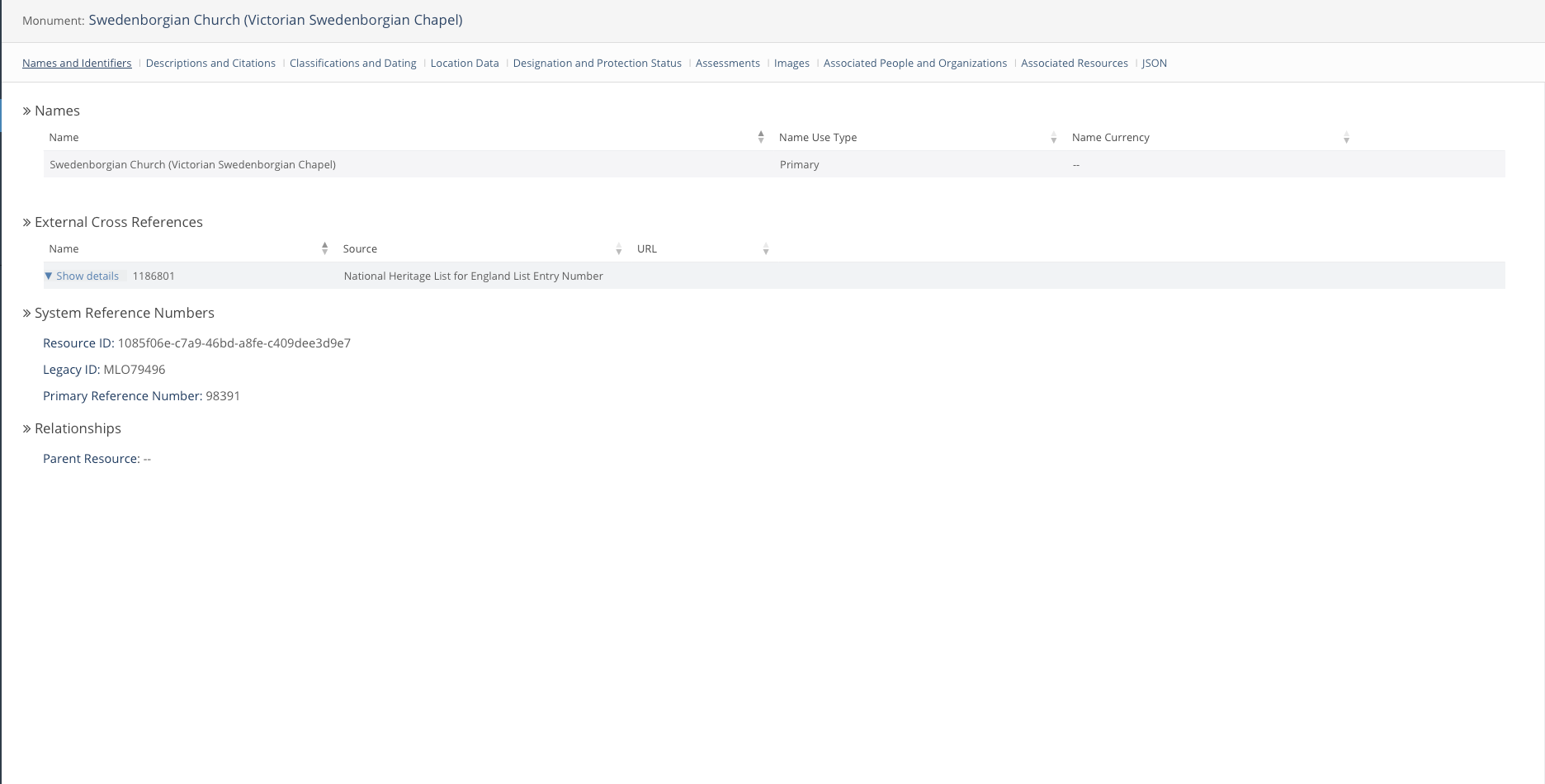
Once again, there are many ways to find this resource. - Searching up concrete and church as separate keywords work. - Finding it on the map close to Crystal Palace also works. The key is finding this specific church from the dataset.
Episode 3
Suggested solution for the designing a coin database:
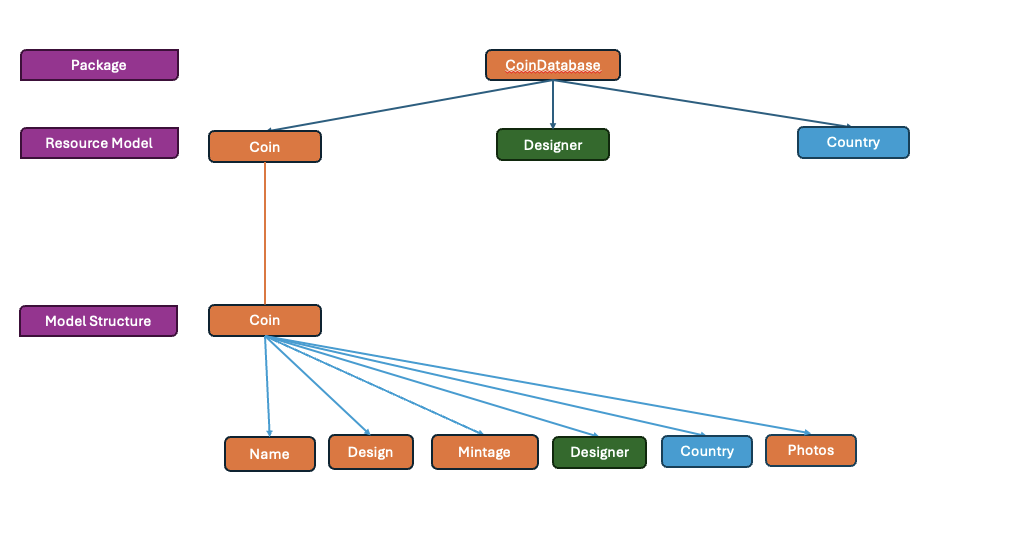
- This is not a definitive solution, though it would be the one used in 06, 07.
- Any reasonable solution is acceptable.
- It is more an exercise in design.
Episode 6
Bulk Data Manager fails quickly to ensure data is not corrupted en-mass on an incorrect bulk data operation. The template needs to be formatted precisely for Arches to accept it. References to UUIDs, Arches’ method of identifying Resources, are omitted in the lesson to prevent confusion. Arches generated UUIDs in the resource_id column if the entries provided are not UUIDs. Note that the id entered (Legacy IDs) are preserved within Arches for bulk data edits and deletes. As such, duplicate entries, even across multiple data uploads, will cause the import to fail.
Once the database is populated, allow learners to play around with it if time permits.